

I opened Skillshare: Online Classes App with a very specific goal: turn scattered interest in photography, drawing, and sketching into a finished piece of work. That starting point matters, because this is not an app I would use like a quick reference manual. It is an education app from Skillshare, Inc that works best when I arrive with enough time to watch, pause, practice, and return to a lesson later.
The app is free to install and is suitable for Everyone, but the learning experience is connected to in-app purchases ranging from $9.99 to $167.99 per item. I would therefore treat the free download as a way to inspect the learning environment before deciding how deeply I want to use it. Its store focus is creative learning, and that focus is clear: the useful question is not whether it can teach everything, but whether its class-based approach matches the way I prefer to learn.
From a vague creative goal to a finished project
Starting with the right kind of project
My first recommendation is to begin with an outcome rather than a broad subject. “Learn photography” is too wide to guide a productive session. “Make a small set of better indoor portraits” is more useful. The same applies to drawing: instead of opening the app with the hope of becoming better, I would choose a concrete target such as completing one character sketch or understanding how to build a face from simple shapes.
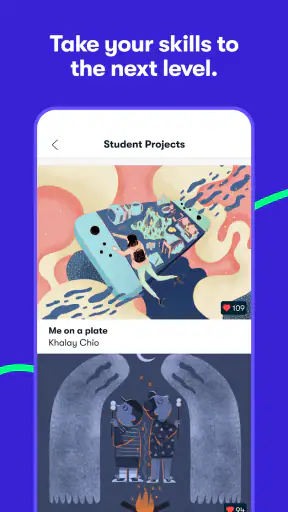
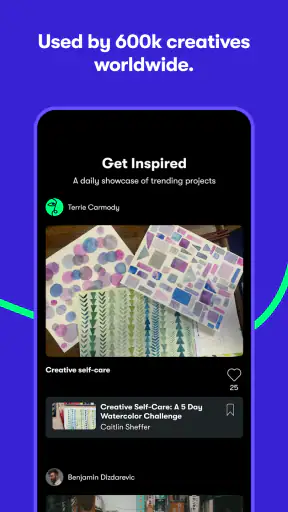
This approach makes the app feel less like an endless shelf of classes and more like a route toward something I can actually show, save, or improve. It also exposes one of the platform’s main trade-offs. A large creative catalog can be inspiring, but it can just as easily encourage browsing without practice. I found that the real value begins only after I stop collecting ideas and commit to one class or one small project.
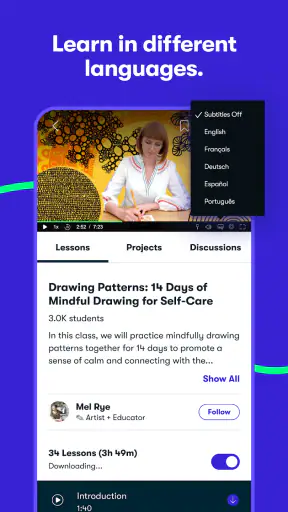
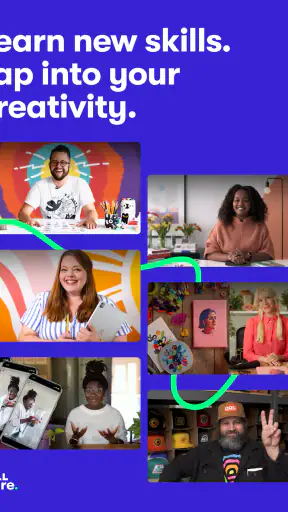
The app is especially appealing to people who learn through demonstrations. Watching a creative process unfold can answer questions that a short written tip cannot: where the instructor starts, what gets corrected, how a rough attempt changes, and which decisions happen in sequence. If I already know exactly which technical fact I need, a focused search engine or a concise tutorial may get me there faster.
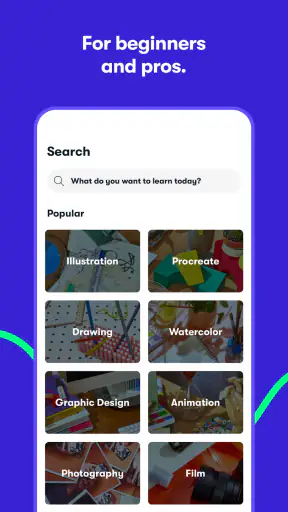
Choosing a class without wasting the session
I would spend a few minutes checking whether a class fits my current level and intended result before pressing play. A beginner who wants to draw should avoid choosing a lesson merely because the finished artwork looks impressive. The better choice is the one whose exercises can be completed with the tools and time available today. That small decision prevents the common problem of watching an inspiring lesson and ending with no personal work.
The same principle helps with photography. If I have only a phone and a short break, I should choose a class whose ideas can be tested with that setup rather than one that depends on equipment I do not own. The app can provide direction, but it cannot remove the gap between watching someone skilled and repeating the process myself. That gap is where most of the learning happens.
I also like to separate discovery from study. During discovery, I look for a class that matches my goal. During study, I keep the class open and resist jumping to unrelated recommendations. Mixing those activities makes the session feel busy while producing very little. Skillshare is more useful when I treat it as a course workspace instead of a stream of creative entertainment.
Working through the lesson actively
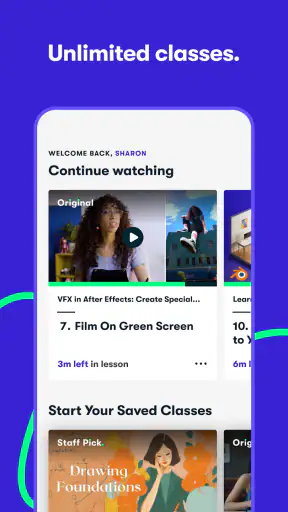
My preferred workflow is simple: watch a short portion, pause, reproduce the action, and compare the result before moving on. This is more demanding than watching continuously, but it turns the app from a passive video player into a practical teacher. In a drawing lesson, I would keep the sketchbook beside the phone and make the mark immediately. In photography, I would stop to recreate the lighting, framing, or composition idea before continuing.
A useful but easy-to-miss habit is to keep a small record of decisions, not just outcomes. I might note why I placed a subject near an edge of the frame, why a line became lighter, or why a shape was simplified. Those notes become valuable when I return later and cannot remember what the instructor did differently. They also make the handoff from lesson to independent practice much smoother.
Another practical tip is to define a stopping point before starting. I might aim to complete one exercise rather than finish an entire class. This prevents the app from taking over an evening and gives me a clear result to evaluate. Creative education often feels slow while it is happening, so a visible, modest outcome is better motivation than an ambitious plan that remains unfinished.
Moving from the instructor’s example to my own work
The most important handoff is the moment when I stop copying the lesson exactly. Repeating an example is useful for understanding a method, but it does not prove that I can apply it to a new subject. After following a demonstration, I would change at least one meaningful element: the pose, subject, viewpoint, lighting, color choice, or composition.
This is where the app’s broad creative scope becomes helpful. A photography idea can influence a drawing project, and a sketching exercise can improve how I plan a visual composition. I would not expect every class to connect neatly, but I can use the app as a source of methods rather than isolated finished products. That mindset makes the learning feel more transferable.
There is also a useful handoff between mobile learning and physical practice. The phone is convenient for following a lesson, but it is not necessarily the best place to judge a drawing or edit carefully. I prefer to use the app for instruction, then move to paper, a camera, or another creative tool for the actual work. The app’s job is to guide the process; it does not replace the tools used to create the final result.
Using repetition instead of chasing novelty
After completing an exercise, I would return to the same idea with a different subject rather than immediately opening another class. This is one of the strongest ways to get more from a subscription-oriented learning platform. The first attempt shows whether I understood the steps. The second reveals whether I understood the principle.
For example, a composition exercise should be tested with more than one scene. A sketching lesson should be repeated with a different object and a different angle. If the result falls apart as soon as the example changes, I know I need another practice round, not necessarily another class. That distinction saves time and prevents endless course-hopping.
I would also keep finished attempts together, including weak ones. Comparing an early drawing with a later one is more informative than relying on memory. The app can start the learning cycle, but the evidence of progress sits in the work I produce outside it. This is a crucial expectation to set before downloading: the platform offers instruction, while improvement depends on a routine around that instruction.
When the workflow breaks down
The first point of friction is choice overload. A creative catalog can make every subject seem urgent, and the result is often a collection of half-started lessons. If I know I am easily distracted by new ideas, I would choose one project and hide the rest of my ambitions until that project has a finished first version.
The second problem is passive consumption. A polished demonstration is enjoyable, especially when the instructor makes a difficult process look smooth. But watching several lessons in a row can create the feeling of progress without the discomfort of making mistakes. I would skip the app, or use it only occasionally, if I wanted instant answers with no practice requirement.
There is also a mismatch for learners who need formal assessment. Someone preparing for a regulated exam, a school curriculum, or a technical qualification may be better served by a platform built around tests, structured progression, and measurable checkpoints. Skillshare is a better fit for creative exploration and project-led development than for proving mastery through standardized evaluation.
Cost is another decision point. The app itself is free to install, but the presence of purchases means I would inspect the available access and payment choices before building a long-term study plan. A short trial of the workflow can reveal whether I actually complete lessons. If I repeatedly save classes without practicing, paying for more content will not solve the real problem.
Everyday scenario: a small project after work
Imagine I have a free evening and want to make a simple illustrated card for a friend. I would begin by choosing a drawing or sketching class that addresses the specific weakness in my plan, perhaps basic shapes, lettering, or composition. I would watch enough to understand the exercise, pause the lesson, and create my own version instead of trying to reproduce the instructor’s example perfectly.
Next, I would put the phone aside and finish the card using the method I just practiced. If the result looked uneven, I would return to the relevant part of the lesson rather than restart everything. That back-and-forth is the practical advantage of having instruction close at hand. The handoff is immediate: lesson, attempt, correction, and final piece.
The outcome would not need to be professional. A completed card gives me a clearer result than an evening spent browsing classes, and it tells me what to study next. Perhaps the drawing is fine but the lettering is weak. Perhaps the composition works but the lines lack confidence. The next session can then be chosen from a real need instead of a vague desire to improve.
How it compares with familiar alternatives
Compared with short standalone tutorials, Skillshare feels more useful when I want a guided creative project rather than one isolated answer. A short video may explain a single technique quickly, while a class-based experience encourages me to follow a broader process. The trade-off is that it can take longer to reach the exact detail I need.
Compared with a traditional book, the app has the advantage of showing actions in motion. That matters for drawing gestures, camera handling, and visual demonstrations. A book can be easier to annotate and revisit at a glance, though, and it may be better for someone who prefers to study without a screen.
Compared with an in-person workshop, the app is more flexible and easier to fit around an unpredictable schedule. It cannot give me the same immediate personal correction from a teacher standing beside me. If I keep repeating one mistake and cannot diagnose it, a live class, mentor, or critique group may be the better next step.
Compared with a general video platform, the creative-learning focus gives me a clearer starting point. The downside is that I still have to manage my own discipline. Skillshare can organize learning material, but it does not automatically organize my time, select the perfect lesson, or guarantee that I will finish a project.
What the app is like to use today
The Android app has been available since May 18, 2015, and the current version is 5.4.81, with Android 5.0 as the minimum operating system. That broad compatibility makes it approachable for people using older Android devices, although the actual comfort of studying will still depend on screen size, battery, and how easily I can keep the lesson visible while working.
Its reach is substantial, with over a million installs, a 4.1 average from around fifty-nine thousand ratings, and roughly four thousand eight hundred written reviews. I read those figures as evidence that the app has attracted a large audience, not as a promise that every learner will enjoy the same experience. Creative learning is personal: one person’s ideal class may feel too slow or too loose to another.
The Everyone age rating also makes it suitable for a broad household audience. Even so, I would choose classes based on maturity of subject, difficulty, and personal goals rather than assuming the age label describes the teaching level. A child, a casual hobbyist, and an experienced designer may all open the same app while needing very different kinds of guidance.
Who should use it and who should pass
I would recommend Skillshare to a curious beginner who wants a guided way into photography, drawing, sketching, or related creative practice. It is also a good match for someone who already has basic skills but needs project ideas and a reason to practice consistently. The strongest users will be comfortable learning independently and willing to turn demonstrations into their own work.
I would be more cautious about recommending it to someone who wants a tightly sequenced qualification, personal correction at every step, or a single definitive course with no browsing. It is also not my first choice for a learner who only needs one precise technical answer. In those cases, a focused reference, instructor, or specialized course may be more efficient.
My final test is straightforward: after opening a class, can I name the thing I intend to make and the exercise I will complete? If yes, the app has a real chance of helping me. If I am only scrolling through attractive creative topics, I am using it as inspiration rather than education.
Final assessment
Skillshare: Online Classes App is most valuable when I use it as the first stage of a complete creative workflow: choose a small outcome, study one method, practice away from the screen, and return with a specific problem. That process turns its lessons into usable skill instead of background viewing.
I like its flexibility, its emphasis on creative subjects, and the way a class can give shape to a project that otherwise might never begin. I also think its weaknesses are important: too many choices, the temptation to watch instead of make, and the need to consider in-app purchases before committing to extended use.
For me, the app earns a recommendation when I have a practical creative goal and enough discipline to finish something small. It is free to install, developed by Skillshare, Inc, and clearly aimed at broad creative learning rather than formal assessment. I would download it to explore a project, test the learning flow, and decide from the quality of my own finished work whether it deserves a permanent place in my routine.


